Say it, or type it. Ask it when you forget.
One sentence is enough to save where something is. Ask later and hear a short answer, which also shows on screen.
Aatox is a small independent maker. Our first tool, KnowWhere, remembers where you put your passport, keys and charger, and now reminds you where they are when it is time to take them.

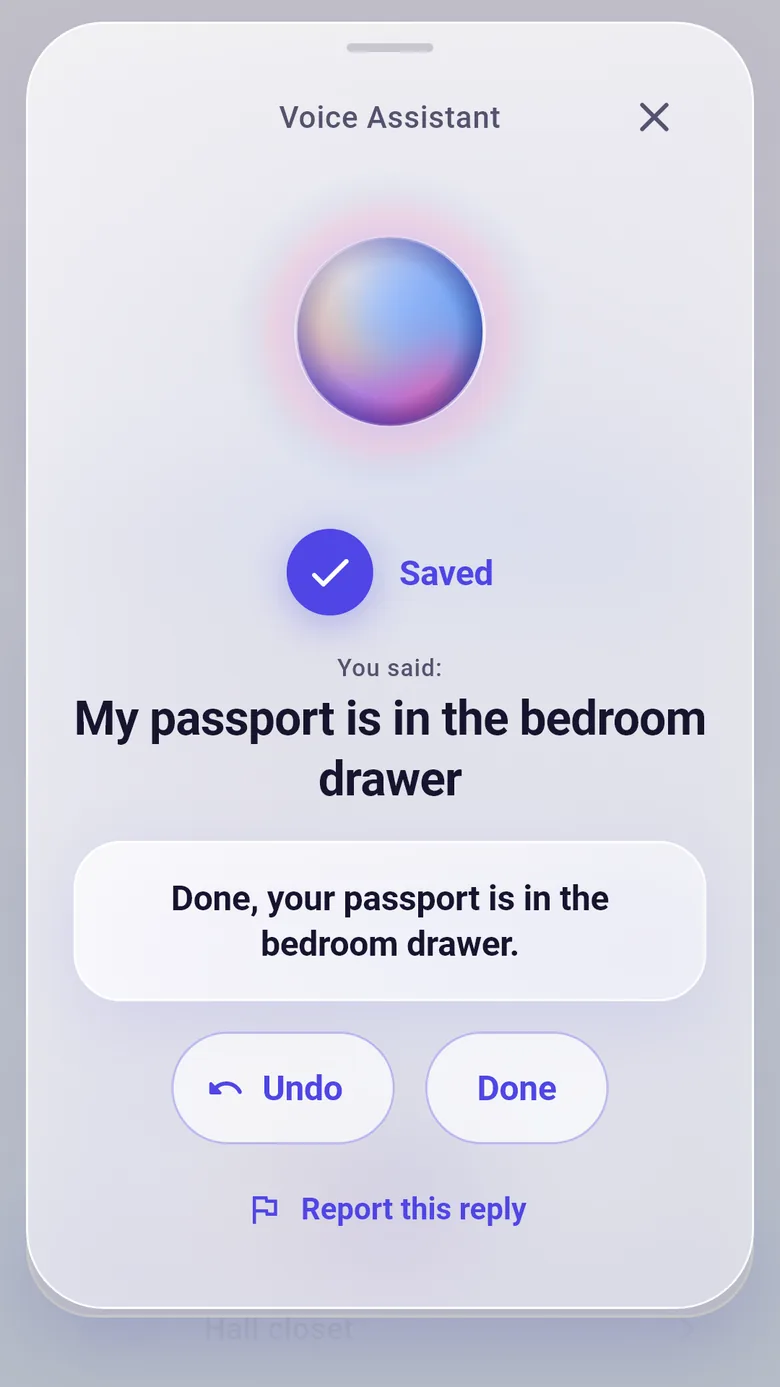
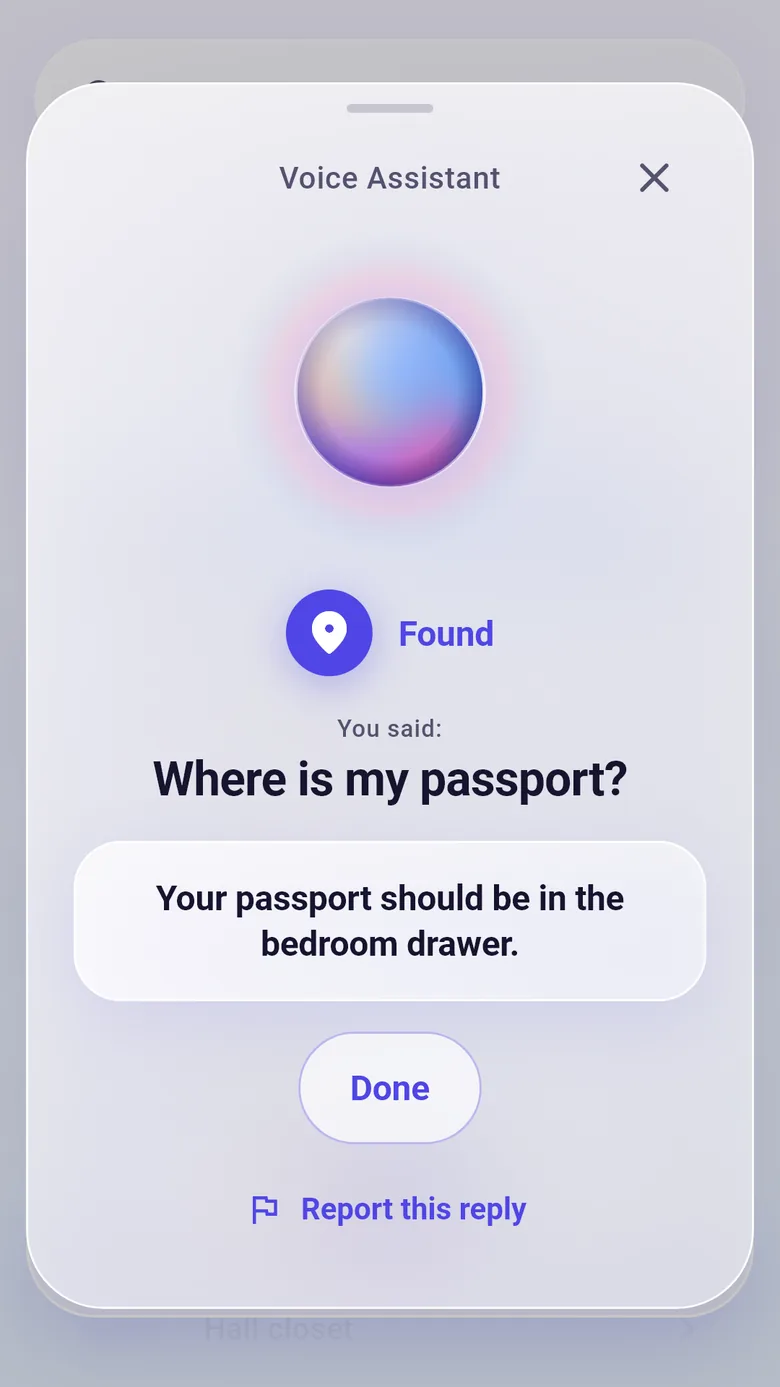
Say or type where something is: “my passport is in the bedroom drawer.” Ask later: “where is my passport?” KnowWhere answers by voice and on screen.
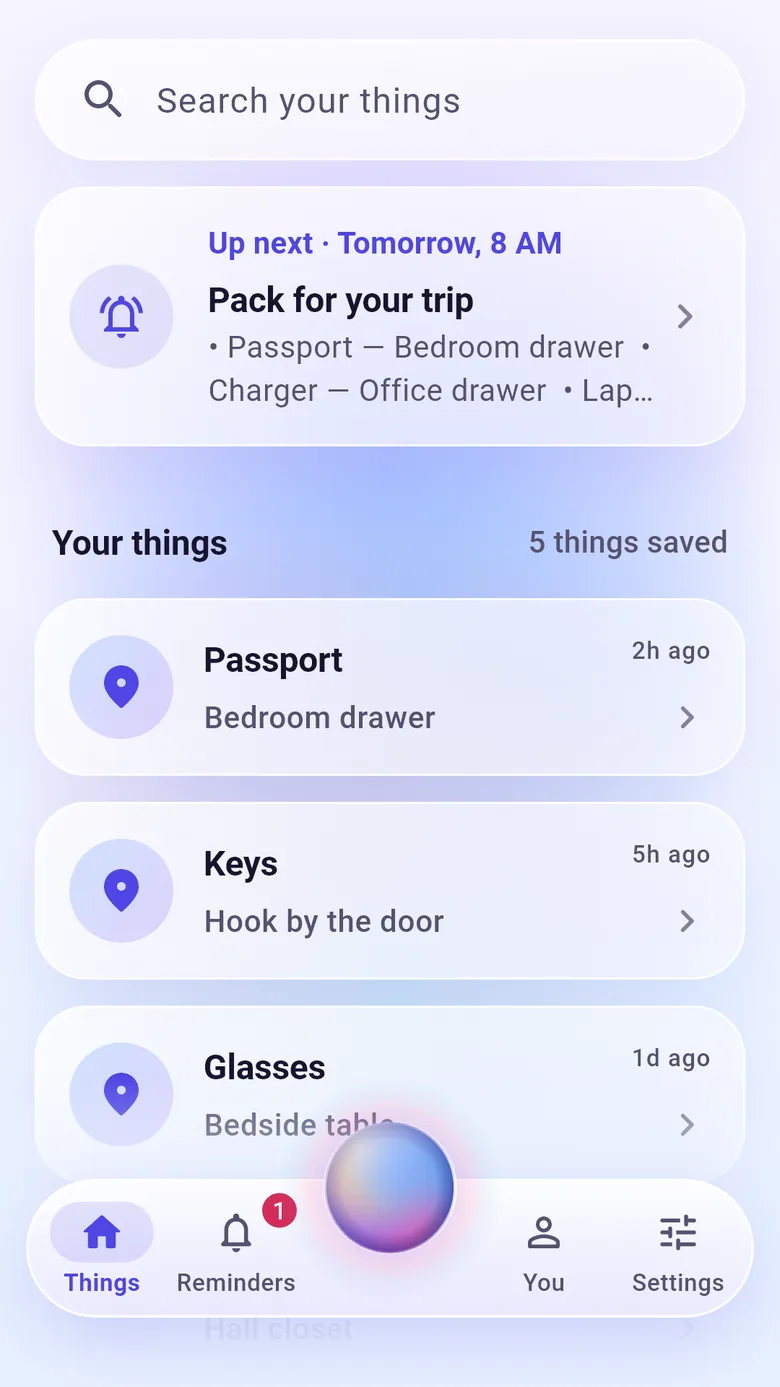
Reminders that say where it is. Ask for a reminder and the notification tells you what to take and where it is right now.
KnowWhere keeps track of where your things are, and nothing else gets in the way.
One sentence is enough to save where something is. Ask later and hear a short answer, which also shows on screen.
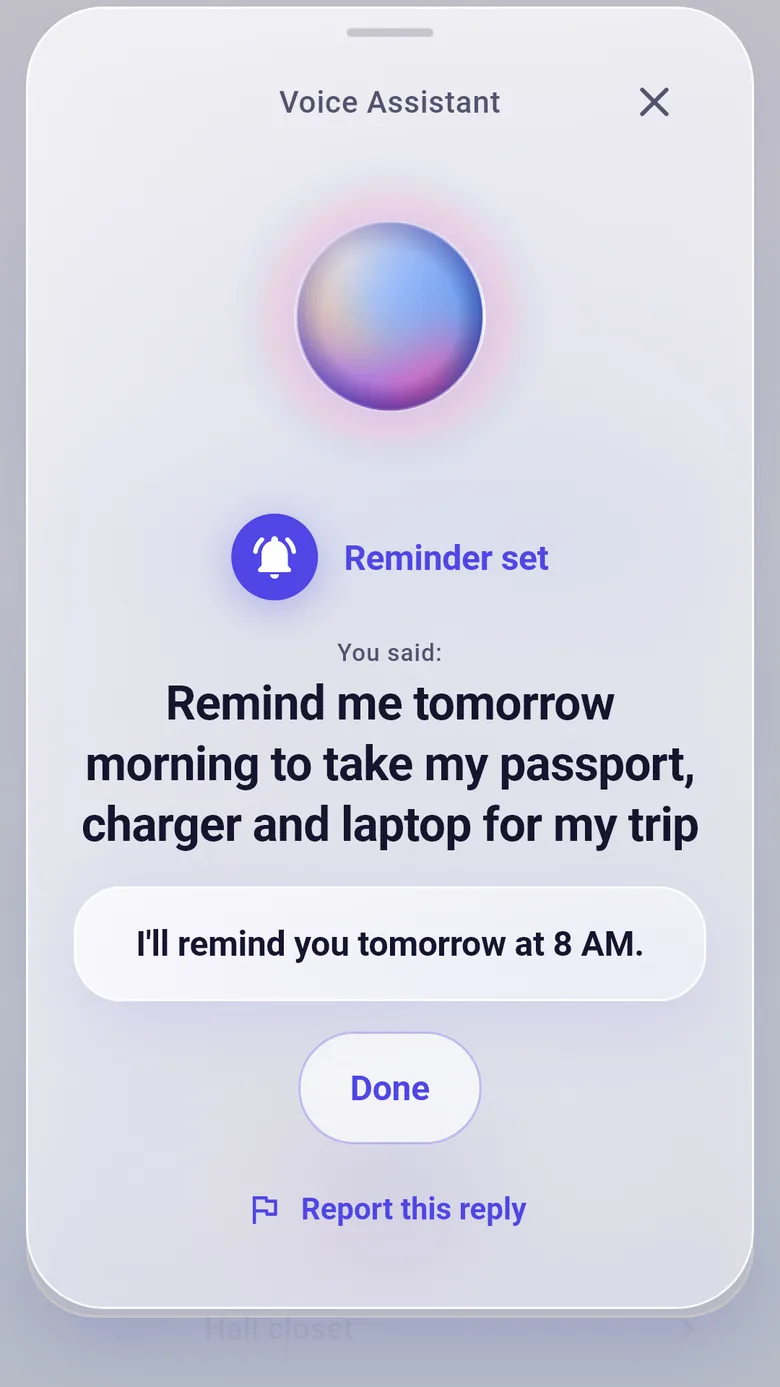
“Remind me to take my passport tomorrow at 8.” The notification names the item and its place.
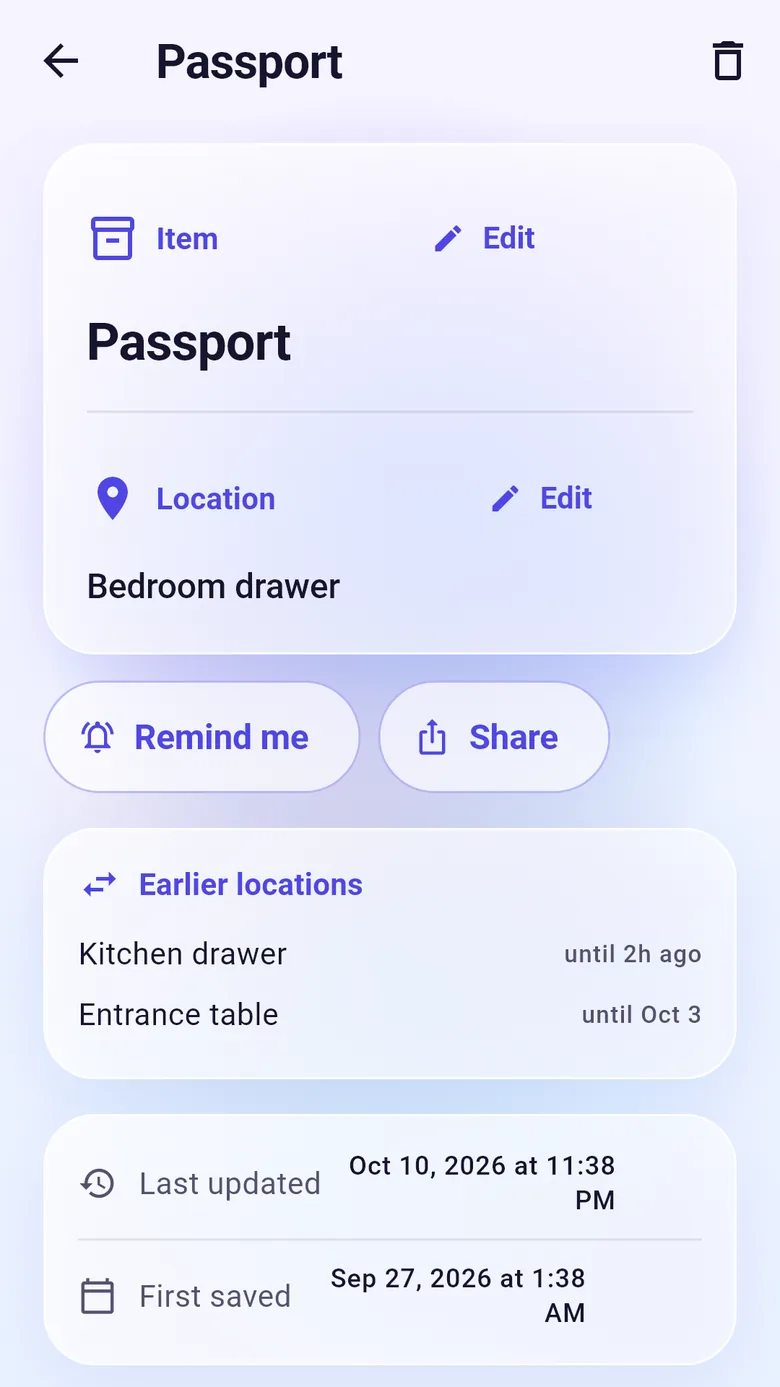
Moved something? KnowWhere keeps the trail.
Looking for everything in one drawer? Search for the place.
Attach a photo to an item so you know what you are looking for. Photos stay on your phone and are never sent.
“My passport is in the bedroom drawer.” One sentence, spoken or typed. KnowWhere saves the item and the place on your phone.
“Where is my passport?” You hear a short answer and see the same words on screen. Earlier places are kept in case you moved it.
“Remind me to take my passport tomorrow at 8.” The notification says what to take and where it is right now.
Ask by voice or by typing: “remind me to take my passport tomorrow at 8.” When it is time, the notification says what to take and where it is right now. Moved it since? The reminder updates.
Reminders use your phone’s alarm so they arrive on time.
Examples of reminder notifications. “Take your passport. Your passport is in the bedroom drawer.” with buttons Snooze 1 hour and Tomorrow morning. And “Pack for your trip” listing a passport in the bedroom drawer, a charger in the office drawer and a laptop bag in the hall closet.
We collect as little as we can. Here is what happens to your data, in plain words.
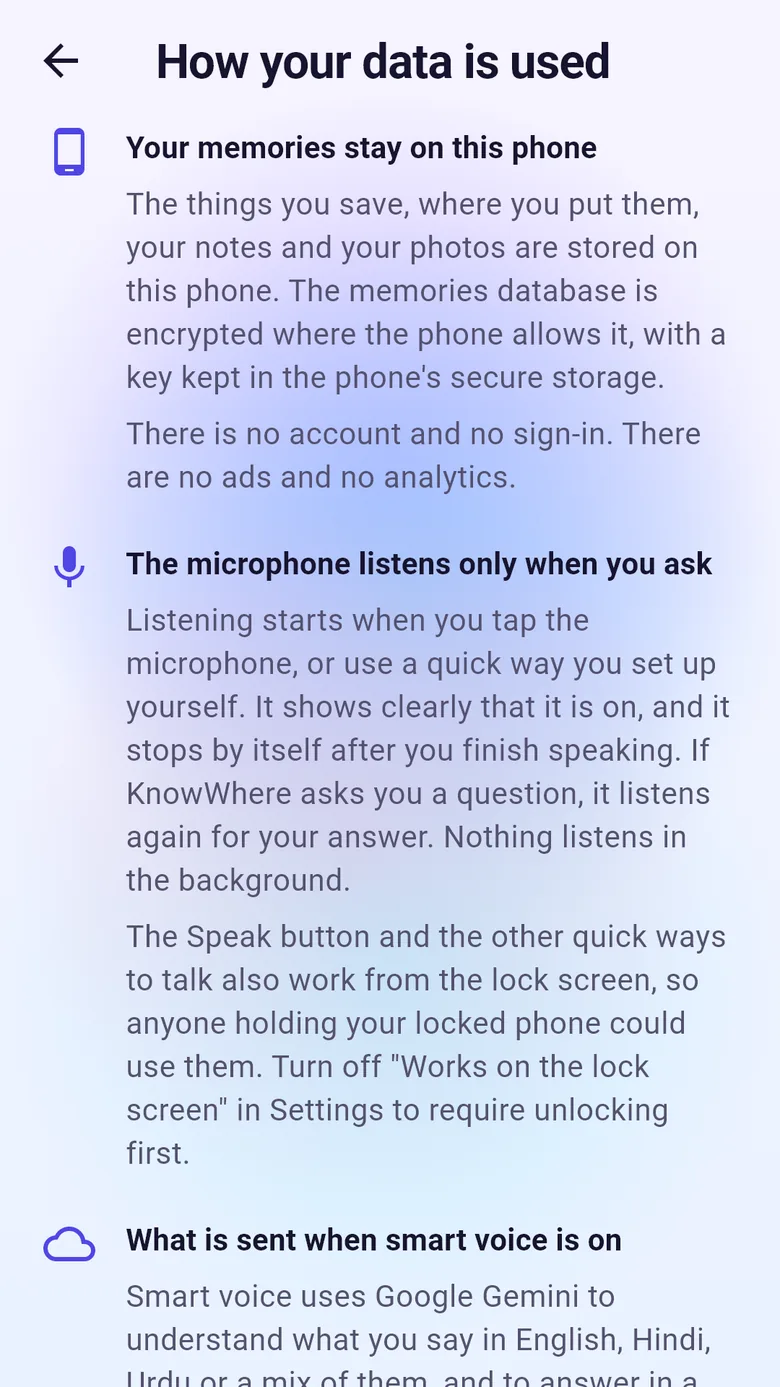
Your items, places and photos live on your phone, in an encrypted database where the phone allows it. There is no account, and we keep no copy.
When smart voice is on, what you say, plus the item names, places and short facts needed to answer, go to Google Gemini. The live conversation goes straight from your phone to Google, with a single use pass from KnowWhere’s server. That server keeps nothing and only counts requests.
Your photos stay on your phone. Under Google’s paid terms, what you say is not used to train its models.
Turn smart voice off and your phone’s own speech recognition is used instead. Delete everything in Settings, then Your data, then Delete all my data. KnowWhere is for adults aged 18 and over.
Every tool solves one real, everyday problem, and does it well.
We collect as little as we can. KnowWhere has no account, no ads and no analytics.
Tools that work in the languages people speak at home.

Aatox is an independent maker based in Ontario, Canada. KnowWhere is the first tool. We take one everyday problem at a time and try to solve it calmly and privately. We have no dates to share, and we will not announce anything before it is ready.
Is there an everyday problem you wish a calm little tool would fix? Tell us at support@aatox.com.
About AatoxSomething else? Write to support@aatox.com. The product questions are answered on the KnowWhere page.
Page updated 12 October 2026.
Aatox is a small independent maker of calm, private, useful tools, based in Ontario, Canada and founded in 2026. Each tool solves one everyday problem. KnowWhere is the first. Read more on the About Aatox page.
KnowWhere is a free voice assistant for Android that remembers where you put things: say where something is, in English, Hindi or Urdu, ask when you forget, and get reminders that say where it is. See how it compares with trackers, notes apps and inventory apps.
Yes, KnowWhere is free to download, with no ads and no in-app purchases. Smart voice is part of the free app. To keep it available for everyone there is a daily limit for each phone; when it is reached, KnowWhere uses your phone’s own voice until the limit resets, and typing always works.
No. Your items, places and photos are stored on your phone, in an encrypted database where the phone allows it, and we keep no copy. When smart voice is on, what you say plus the item names, places and short facts needed to answer go to Google Gemini. Photos are never sent. KnowWhere’s server keeps nothing and only counts requests. The privacy policy has the full text.
Yes, slowly. We take one everyday problem at a time and announce a tool only when it is ready. If there is a problem you wish a calm little tool would fix, write to support@aatox.com.
Email support@aatox.com. If it is about KnowWhere, tell us your phone model and Android version. There is no account, so we cannot see your list; describe the problem in your own words, without passwords or other secrets.
Leave your email in the form at the bottom of this page, tick the box to agree, and press Join the waitlist. We will email you when KnowWhere is ready for Android, and only about that.On Google Play. Use the Get it on Google Play button on this page.
Leave your email and we will tell you the day it is ready for Android.Free to download. No account, no ads. KnowWhere is for adults aged 18 and over.
Free to join. No payment details. Your email is used only for this. See the privacy policy.
Want an iPhone version? Tell us at support@aatox.com.